
Trading
Quotes, routing, guardrails, and importing tokens. Every swap pays you back.
Every swap on Motoswap earns you 0.20% back as Rakeback plus Points. This page is everything between you and the confirm button.
How a swap works
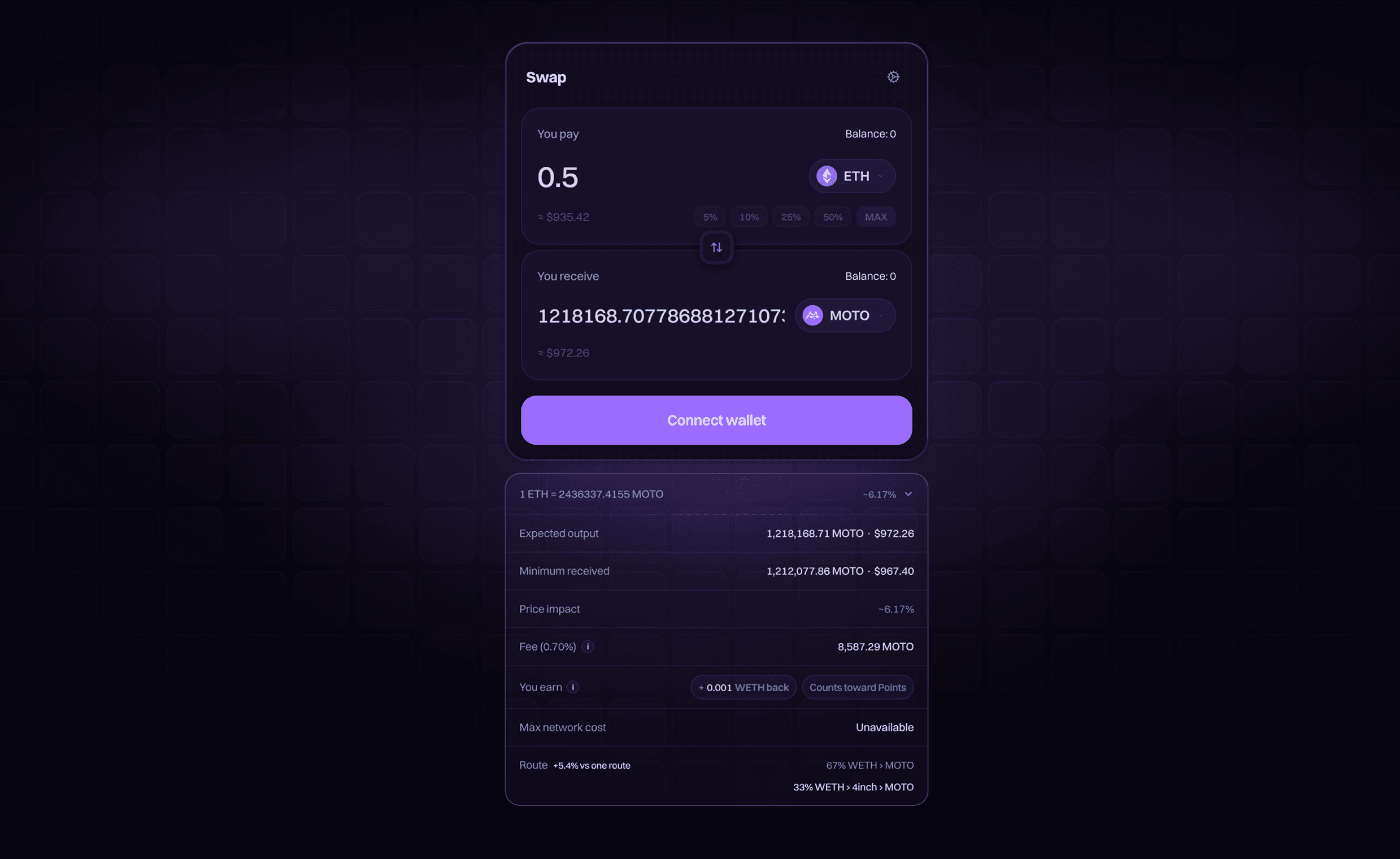
Quotes are live from the chain and refresh while you type. A review step shows the rate, price impact, fees, network cost, and what you earn back before you sign. Slippage defaults to 0.5% and is adjustable behind the cog along with the transaction deadline; the app caps slippage at 50%.
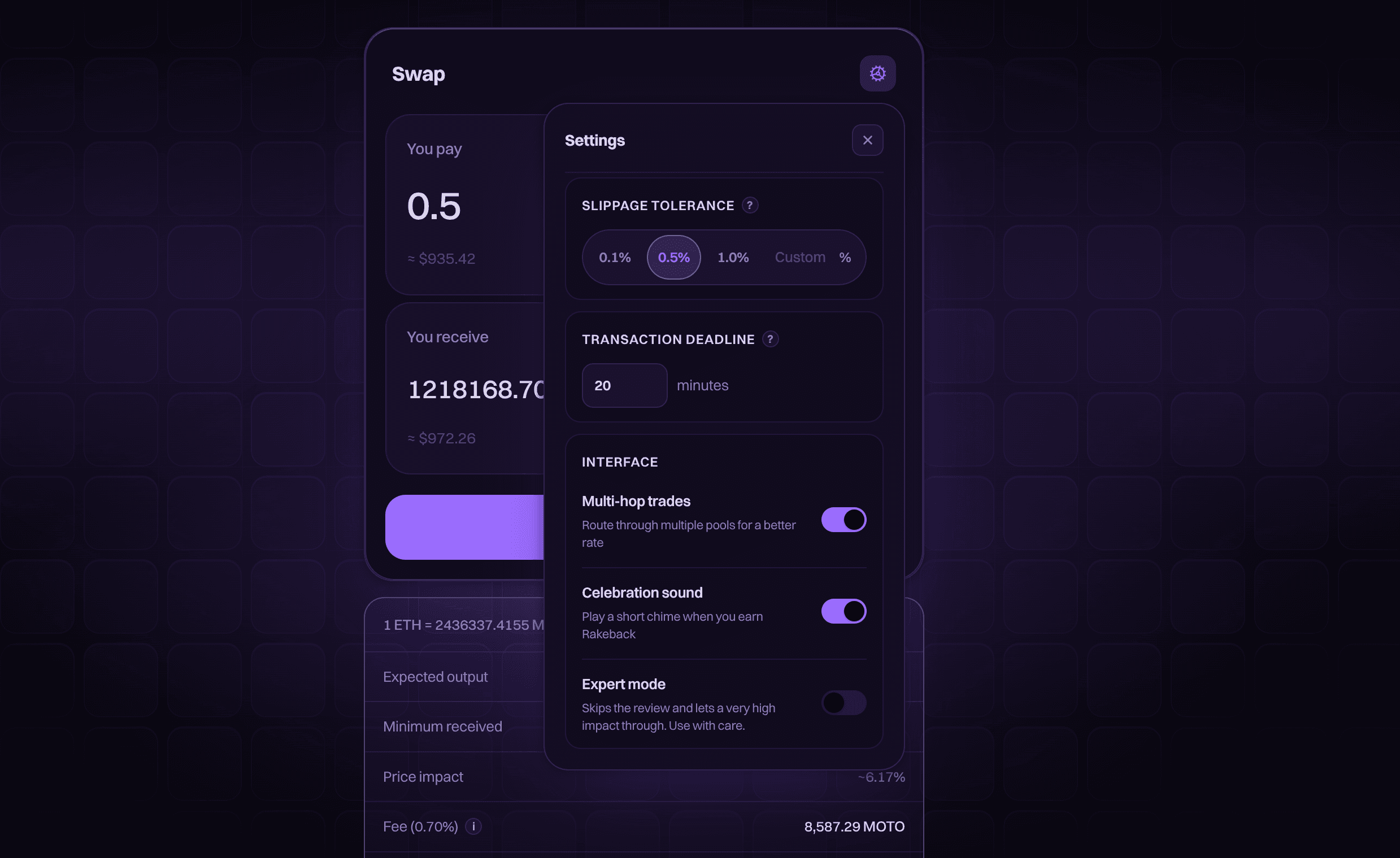
If the price moves past your tolerance between quote and fill, the transaction reverts. You lose gas, not tokens. If that keeps happening on a busy pool, a slightly higher tolerance gives the price more room.
Expert mode skips the review step. You arm it deliberately in settings with a typed confirmation; leave it off unless you know why you want it.
Approvals
After a one-time approval per token, you trade it by signing a message instead of sending an approval transaction each time. Fee-on-transfer tokens keep the classic approve-then-swap path.
Price impact
Below 10% impact the app stays quiet. Past that, it escalates:
| Impact | The app |
|---|---|
10% | Warns you |
15% | Shows the impact in red |
20% | Adds a red warning about what you stand to lose. There is nothing to tick or type |
50% | Blocks the trade, unless expert mode is on |
High impact on a normal-size trade usually means a thin pool.
Routing
The app checks the direct pool and every hop through WETH, USDC and MOTO, plus the most liquid tokens on Motoswap, then quotes the path that pays the most. You never pick a route, and every route is re-priced live at submit: past your tolerance, it reverts instead of filling badly.
A large trade can pay more split across two routes than through one pool. When a split wins by a meaningful margin, the app shows both legs and the improvement. A split runs as two transactions, so your wallet confirms each leg.
Importing a token
A token not on the Motoswap token list stays out of your picker until you import it, and import is a review step, not one click. The review flags a symbol that collides with a listed token, which is exactly what an impersonator would do.
The address is the token
Anyone can create a token with any name and symbol. Get the address from an official source and check it against the import step character for character before you trade.